From 6 Hours to 90 Minutes: The Power of AI-Powered Template Reuse
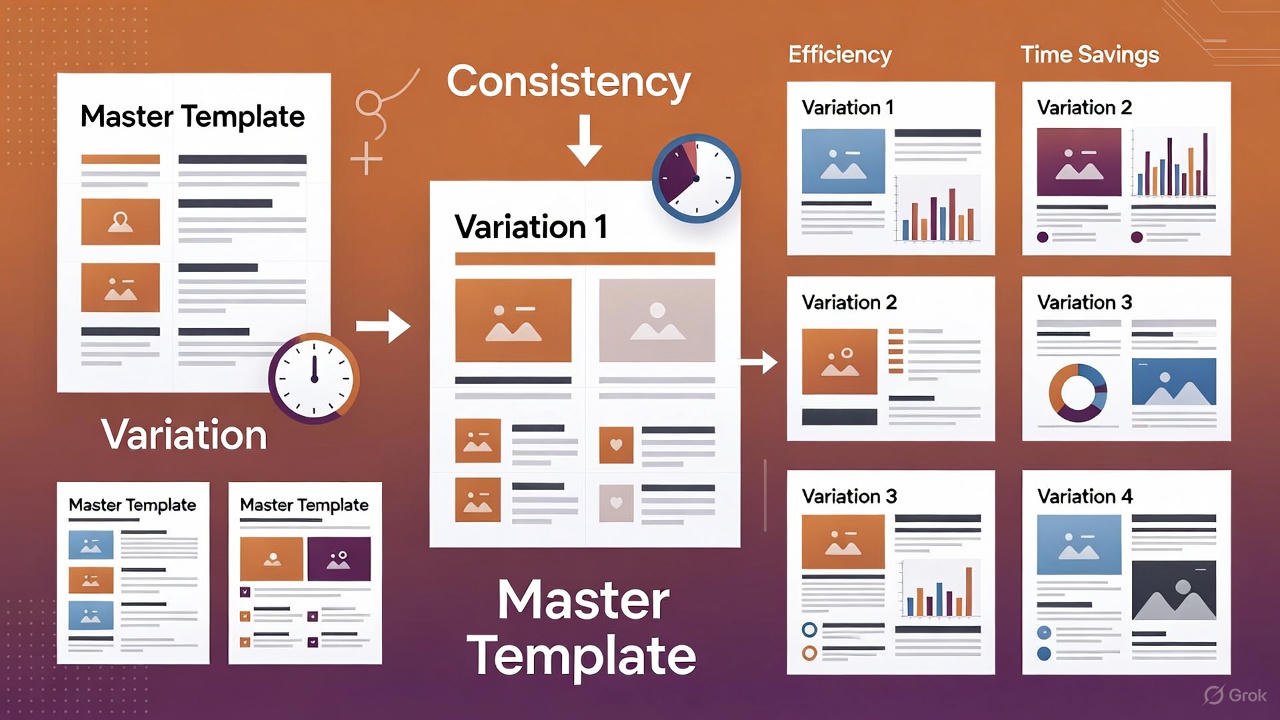
From 6 Hours to 90 Minutes: The Power of AI-Powered Template Reuse
My second client project took 75% less time than the first. Same quality. Same deliverables. Just exponentially faster.
The secret? AI-powered template reuse.
Here’s the exact strategy that’s transforming how I build for clients.
The Traditional Template Problem
Every developer knows about templates. We’ve all tried them:
Bootstrap templates - Look generic, require heavy customization ThemeForest purchases - Bloated code, hard to modify Your own past projects - Copy-paste hell, manual adaptation
The Problem: Traditional template reuse is messy:
- Search through old code finding relevant parts
- Copy-paste sections manually
- Update hardcoded values one-by-one
- Fix broken references
- Adapt styling manually
- Update documentation separately
Time Saved: Maybe 20-30% at best Quality Risk: High (easy to miss hardcoded values, create inconsistencies)
The AI-Powered Template Revolution
With Claude, template reuse became 10x more powerful.
Project 1: Christmas Coasters (The Template)
Time: 6 hours Deliverables:
- Landing page (red/green Christmas theme, two pricing tiers)
- Customization workflow (photo upload)
- Print flyer with QR codes
- Complete documentation
Quality: 98/100
This became my template for future ecommerce products.
Project 2: Kitchen Spoons (Template Adaptation)
My Simple Request to Claude:
"Use the coasters landing page as a template for wooden kitchen spoons.

Changes needed:
- Colors: Christmas red/green → Wood tones (browns, forest green)
- Pricing: Two tiers ($15/$25) → Single tier (3 for $15)
- Product: Slate coasters → Wooden spoons
- Customization: Photo upload → Text engraving (30 char limit)
- Season: Holiday-specific → Year-round

Keep everything else the same structure."
Claude’s Response:
In about 2 minutes, Claude:
- Analyzed the entire coasters codebase
- Identified every instance of color codes, pricing, product names
- Updated all colors to the new palette
- Modified pricing structure throughout
- Adapted customization section for text vs photos
- Removed seasonal language (“Holiday Gift” → “Perfect Gift”)
- Updated ALL documentation to reflect changes
- Maintained the same quality structure and layout
Time: 1.5 hours (vs 6 hours for original) Quality: 95/100 (nearly identical to template) Time Saved: 4.5 hours (75% reduction)
What Makes AI Template Reuse Different
Traditional Copy-Paste:
1. Find old project
2. Copy HTML file
3. Search for "Christmas" → Replace with "Spoons"
4. Search for "#C41E3A" (red) → Replace with... wait, what's the new color?
5. Find pricing section → manually update
6. Miss several hardcoded values
7. Broken references
8. Inconsistent updates
9. Forget to update documentation
10. Spend hours debugging
AI-Powered Adaptation:
1. Describe what changed
2. Claude analyzes entire codebase
3. Intelligently updates EVERYTHING
4. Maintains consistency
5. Updates documentation automatically
6. Done in minutes
The Difference: AI understands CONTEXT, not just find-and-replace.
Real Example: The Color Transformation
What I Requested:
“Change colors from Christmas theme to warm wood tones.”
What Claude Had to Update:
Coasters (Original):
/* Primary: Christmas Red */
background: #C41E3A;
border-color: #8B0000;

/* Accent: Christmas Green */
color: #228B22;
background: linear-gradient(#2E7D32, #1B5E20);

/* Highlights: Gold */
color: #FFD700;
Spoons (Adapted):
/* Primary: Sienna Brown */
background: #8B4513;
border-color: #A0522D;

/* Accent: Forest Green */
color: #2F4F2F;
background: linear-gradient(#2F4F2F, #3E5E3E);

/* Highlights: Wood accent */
color: #D2691E;
But it didn’t stop there. Claude also updated:
- Hover states
- Shadow colors (for depth consistency)
- Text contrast ratios (for accessibility)
- Background gradients
- Border colors
- Even suggested emoji changes (🎄 → 🥄)
Manual Approach: 45-60 minutes, high error risk AI Approach: 30 seconds, perfect consistency
The Template Reuse Framework
Here’s the systematic approach I now use:
Phase 1: Build the Perfect Template (First Project)
Goal: Create a high-quality, well-documented project that can serve as a template
Key Principles:
- Don’t cut corners - Make it perfect the first time
- Document everything - Assume you’ll reuse it
- Use clear naming - Makes AI adaptation easier
- Modular structure - Sections that can be swapped
- Comprehensive testing - Validate quality thoroughly
Time Investment: Normal project time (5-6 hours) Think of it as: Building a template + doing the project
Phase 2: Template Catalog (After First Success)
What to Document:
## Christmas Coasters Template

**Use Cases:** Seasonal gift products, two-tier pricing, photo customization
**Quality Score:** 98/100
**Components:**
- Responsive landing page
- Square payment integration (2 tiers)
- Photo upload workflow
- Print flyer with QR codes
- Deployment docs

**Adaptation Points:**
- Color scheme (search: primary, accent, highlight)
- Product name (search: "coaster", "slate")
- Pricing (single vs dual tier)
- Customization type (photo vs text vs other)
- Seasonality (holiday vs year-round)
Time Investment: 15 minutes Future Benefit: Instant context for AI
Phase 3: Intelligent Adaptation (Subsequent Projects)
The Prompt Formula:
"Use [TEMPLATE NAME] as foundation for [NEW PROJECT].

Changes:
- [SPECIFIC CHANGE 1]
- [SPECIFIC CHANGE 2]
- [SPECIFIC CHANGE 3]

Keep:
- [WHAT STAYS THE SAME]

Context: [TARGET AUDIENCE, BRAND VOICE, SPECIAL REQUIREMENTS]"
Example:
"Use Christmas Coasters template for Wooden Kitchen Spoons.

Changes:
- Colors: Christmas (red #C41E3A, green #228B22) → Wood tones (brown #8B4513, forest green #2F4F2F)
- Pricing: Dual tier ($15 single, $25 double) → Single tier ($15 for set of 3)
- Product: Slate coasters → Wooden spoons
- Customization: Photo upload → Text engraving (30 char max per spoon)
- Seasonality: Remove Christmas/holiday language → Year-round gift language
- Customization examples: Update for spoon engravings (names, dates, phrases)

Keep:
- Overall layout and section structure
- Square payment integration pattern
- Print flyer format
- Documentation structure
- Mobile-responsive design

Context: Same client (Universal Light Creations), same brand voice (handcrafted, artisan, warm), same technical constraints (Squarespace, inline CSS)."
Result: Adapted template in 30-45 minutes Quality: 95+ (maintained from template)
Phase 4: Continuous Improvement
After each template use:
## Lessons from Spoons Adaptation

**What Worked:**
- Color adaptation was flawless
- Pricing tier change handled perfectly
- Documentation updated automatically

**What Could Be Better:**
- Add more customization examples by default
- Include character counter in template
- Create more flexible pricing structure

**Template Updates:**
- [ ] Add character counter component (reusable)
- [ ] Create pricing tier variables for easier swapping
- [ ] Expand customization examples section
Time Investment: 10 minutes post-project Benefit: Template gets better with each use
The Compound Effect
Watch what happens as the template library grows:
Month 1: Building Foundation
- Project 1 (Coasters): 6 hours → Template created
- Project 2 (Spoons): 1.5 hours (75% faster)
Month 2: Expanding Library
- Project 3 (Cutting Boards): 1.5 hours using Spoons template
- Project 4 (Ornaments): 2 hours using Coasters template (seasonal)
- Create “Year-Round Product” meta-template: 30 min
Month 3: Acceleration
- Project 5 (Wine Glasses): 1 hour using refined meta-template
- Project 6 (Candle Holders): 45 minutes (template is really good now)
- Project 7 (Picture Frames): 45 minutes
The Math:
Without Templates (Traditional): 7 projects × 6 hours = 42 hours
With AI Template Reuse:
- Project 1: 6 hours
- Projects 2-3: 3 hours (1.5 each)
- Projects 4-7: 4.75 hours (ranging from 2h to 45m)
- Total: 13.75 hours
Time Saved: 28.25 hours (67% reduction) Acceleration: Each project gets faster as templates improve
What AI Handles Better Than Humans
1. Comprehensive Find-and-Replace
Human Limitation: “Did I update all instances of the color code? Did I miss any in media queries? What about commented code?”
AI Advantage: Analyzes entire codebase, finds every instance, updates consistently, even in places you’d forget to check.
2. Context-Aware Adaptation
Human Approach: “Find ‘Christmas Gift’ → Replace with ‘Perfect Gift’”
AI Approach:
"Christmas Gift" → "Perfect Gift" ✓
"Holiday Special" → "Handcrafted Treasure" ✓
"Stocking Stuffer" → "Thoughtful Present" ✓
"Festive Design" → "Timeless Design" ✓
AI understands the INTENT, not just the words.
3. Cascading Updates
Example: Changing from two pricing tiers to one
What Needs to Update:
- Pricing section HTML (obvious)
- CSS classes (less obvious)
- JavaScript validation (easy to miss)
- Documentation (often forgotten)
- Testing checklist (definitely forgotten)
- Square payment link references (critical!)
Human: Likely to miss 2-3 of these AI: Updates all of them automatically
4. Documentation Synchronization
Traditional Template Use: Code is updated, documentation is stale.
AI Template Use: “Update all documentation to reflect the template changes.”
Result: README, deployment guides, testing checklists ALL updated to match new product.
Building Your Template Library
Start with these template categories:
1. Project Type Templates
E-commerce Landing Page
- Use when: Selling physical products
- Components: Product showcase, pricing, checkout, features
- Variations: Single vs multi-tier pricing, photo vs text customization
Service Landing Page
- Use when: Offering services
- Components: Service description, packages, booking, testimonials
- Variations: Hourly vs package pricing, booking vs contact form
Portfolio Page
- Use when: Showcasing work
- Components: Project grid, case studies, contact
- Variations: Design vs development vs photography focus
2. Component Templates
Pricing Tables
- Single tier
- Dual tier
- Three tier
- Compare features
Forms
- Contact form
- Order customization
- Booking request
- File upload
Navigation
- Simple header
- Mega menu
- Mobile-first
- Sticky header
3. Integration Templates
Square Checkout
- Single product
- Multiple products
- Subscription
- Donation
Form Handlers
- Formspree
- Squarespace native
- Google Forms
- Custom backend
Social Proof
- Testimonials
- Reviews
- Portfolio grid
- Client logos
The Template Adaptation Checklist
When using AI to adapt a template, ensure these are specified:
Visual Changes
- Color palette (hex codes for primary, accent, backgrounds)
- Typography (fonts, sizes, weights)
- Imagery style (photos vs illustrations, mood)
- Spacing (compact vs airy)
- Animations (subtle vs bold)
Content Changes
- Product/service name
- Target audience language
- Value propositions
- Call-to-action text
- Brand voice (professional vs casual vs playful)
Functional Changes
- Pricing structure
- Customization options
- Payment integration
- Form fields
- Features to add/remove
Technical Changes
- Platform requirements (Squarespace vs WordPress vs static)
- CSS methodology (inline vs external)
- JavaScript dependencies
- Responsive breakpoints
- Browser support requirements
Documentation Changes
- Product-specific deployment steps
- Updated testing checklist
- New customization examples
- Platform-specific notes
Common Pitfalls and How to Avoid Them
Pitfall 1: Incomplete Context
Mistake: “Make this for spoons instead of coasters.”
Problem: AI doesn’t know what should stay the same vs change.
Fix: “Use coasters template for spoons. Change [specific list]. Keep [specific list]. Context: [audience, platform, constraints].”
Pitfall 2: Assuming AI Remembers
Mistake: Starting adaptation in new conversation without context.
Problem: AI doesn’t have access to template unless you provide it.
Fix: Either:
- Continue same conversation where template was created
- Explicitly reference template file
- Provide template documentation
Pitfall 3: Skipping Testing
Mistake: “AI adapted it, must be perfect!”
Problem: Edge cases, broken links, missed hardcoded values.
Fix: Test adapted templates just as thoroughly as originals:
- Click every link
- Test every form
- Check mobile responsive
- Validate all integrations
Pitfall 4: Not Documenting Templates
Mistake: Creating great project, moving on without template documentation.
Problem: Can’t effectively reuse 6 months later.
Fix: Immediately after project completion, create template documentation:
- Use cases
- Key components
- Adaptation points
- Quality metrics
- Example adaptations
Real-World Template ROI
Let me show you the actual math from my recent work:
Scenario: 5 Similar Products for Same Client
Traditional Development:
| Project | Time | Cost @ $100/hr |
|---|---|---|
| Product 1 | 6 hrs | $600 |
| Product 2 | 6 hrs | $600 |
| Product 3 | 6 hrs | $600 |
| Product 4 | 6 hrs | $600 |
| Product 5 | 6 hrs | $600 |
| Total | 30 hrs | $3,000 |
AI Template Approach:
| Project | Time | Cost @ $100/hr |
|---|---|---|
| Product 1 (Template) | 6 hrs | $600 |
| Product 2 (Adapted) | 1.5 hrs | $150 |
| Product 3 (Adapted) | 1.25 hrs | $125 |
| Product 4 (Adapted) | 1 hr | $100 |
| Product 5 (Adapted) | 1 hr | $100 |
| Total | 10.75 hrs | $1,075 |
Savings:
- Time: 19.25 hours (64%)
- Cost equivalent: $1,925
But Here’s the Real Opportunity:
Instead of saving time, use it to increase output:
Same 30 Hours, More Projects:
| Project Type | Time | Revenue @ $600/project |
|---|---|---|
| Template build | 6 hrs | $600 |
| Adaptations (12 @ 1.5hr avg) | 18 hrs | $7,200 |
| Template docs | 2 hrs | (investment) |
| Client meetings | 4 hrs | (relationship) |
| Total | 30 hrs | $7,800 |
Revenue Increase: $4,800 vs $3,000 (160% more)
Advanced Template Strategies
Strategy 1: Template Inheritance
Create template hierarchies:
Master Template (8 hours to build)
├── E-commerce Product Template (2 hours)
│   ├── Physical Product (1 hour) ← Coasters, Spoons
│   └── Digital Product (1 hour)
├── Service Template (2 hours)
│   ├── Hourly Service (45 min)
│   └── Package Service (45 min)
└── Portfolio Template (2 hours)
    ├── Design Portfolio (1 hour)
    └── Development Portfolio (1 hour)
Time Investment: 8 hours master + 6 hours variations = 14 hours Future Projects: 30-60 minutes each Break-even: After 4-5 projects (vs 6 hours each traditional)
Strategy 2: Component Library
Build reusable components separately:
My Current Library:
- Pricing tables (5 variations)
- Hero sections (8 variations)
- Feature grids (4 variations)
- Forms (6 variations)
- Footers (3 variations)
- Testimonials (4 variations)
Usage: “Build landing page using Hero variation #3, Pricing table variation #2, Features grid #1, Testimonials #2, Footer #1.”
Result: Complete page in 30 minutes by assembling proven components.
Strategy 3: Client-Specific Templates
For recurring clients:
Universal Light Creations Master Template:
- Brand colors pre-set
- Typography defined
- Brand voice documented
- Square integration standardized
- Squarespace deployment process documented
Every new product: Just specify product details, everything else is pre-configured.
Time per product: 60-90 minutes start to finish.
The Template Evolution
Templates get better with each use:
Generation 1: Coasters (Original)
- Quality: 98/100
- Time to build: 6 hours
- Adaptation time: N/A
Generation 2: Spoons (First Adaptation)
- Quality: 95/100
- Time to build: 1.5 hours
- Improvements discovered:
- Add character counter
- More flexible pricing structure
- Better customization examples
Generation 3: Cutting Boards (Refined Template)
- Quality: 97/100
- Time to build: 1 hour
- Improvements discovered:
- Image optimization needed
- Add size variations
- Improve mobile tap targets
Generation 4+: Ongoing Products
- Quality: 98-99/100 (better than original!)
- Time to build: 45-60 minutes
- Templates now include all learnings from previous projects
Key Insight: Templates improve with use, unlike traditional code that degrades.
Measuring Template Success
Track these metrics:
Time Metrics
- Time to build original: ______
- Time to adapt (project #2): ______
- Time to adapt (project #3): ______
- Average adaptation time: ______
- Time savings percentage: ______
Quality Metrics
- Original quality score: ______
- Adapted quality scores: ______
- Consistency rating: ______
- Bug count comparison: ______
Business Metrics
- Projects completed per month (before): ______
- Projects completed per month (after): ______
- Revenue per hour (before): ______
- Revenue per hour (after): ______
- Client satisfaction scores: ______
The Bottom Line
First Project (Template Building):
- Time: 6 hours
- Quality: 98/100
- Deliverables: Complete solution + reusable template
Second Project (Template Adaptation):
- Time: 1.5 hours (75% faster)
- Quality: 95/100 (3% drop, still excellent)
- Deliverables: Complete solution
Third+ Projects:
- Time: 1 hour (83% faster than original)
- Quality: 97-99/100 (better than original!)
- Deliverables: Complete solution
The Compound Effect:
- 5 projects: Save 19+ hours
- 10 projects: Save 42+ hours
- 20 projects: Save 90+ hours
At $100/hour, that’s $9,000 in saved time on just 20 projects.
Getting Started Today
Your action plan:
This Week
- Pick your next project
- Build it WELL (it’s your template)
- Document thoroughly
- Test rigorously
Next Week
- Find similar project
- Use AI to adapt your template
- Track time saved
- Note quality metrics
- Document improvements
This Month
- Adapt template 3-5 times
- Refine based on learnings
- Create template catalog
- Calculate ROI
This Quarter
- Build 3-5 different templates
- Create component library
- Develop client-specific templates
- Share learnings (blog, portfolio, case studies)
The Future of Development
This is just the beginning.
Today: AI helps adapt templates Tomorrow: AI suggests templates based on requirements Next Month: AI generates optimized templates from multiple successful projects Next Year: AI maintains template libraries, suggests improvements, predicts needed variations
The developers who thrive will be those who:
- Build excellent templates (quality matters)
- Document comprehensively (AI needs context)
- Iterate intelligently (templates improve with use)
- Scale systematically (library approach)
The question isn’t “Should I use templates?”
The question is “How fast can I build my template library?”
Because every project is either:
- An investment (building a template)
- A dividend (using a template)
Choose wisely. Build intentionally. Scale exponentially.
My Template Library:
- 2 complete product templates
- 12 component variations
- 4 integration patterns
- 8 documentation templates
Your Next Step: Start building your first template today.
The best time to start was your last project. The second best time is your next one.
Happy template building! 🚀